Death to files and folders
Published:Contents
- My €5.54 investment that matches FAANG
- Jef Raskin's "other" ideas…
- His idea that inspired this blog post
- The problem with files and folders
- Solution?
- Who's gonna build it?
About my €5.54 investment
More than a decade ago, I read a book The Humane Interface by Jef Raskin. Jef was a user interface expert and a key figure in Apple's Macintosh project in the late 1970s. Had he been born later, he'd have been called a UX expert. I bought it on Amazon for €5.54, paid €3 for Verpackung und Versand, and a month later I gave it five stars on Goodreads.
I just checked. The book now sells for €24.19, making my investment return 336.64%, which is up there with the rest of my FAANG stocks.
The worst thing about paper books isn't that they rob you of apartment space (Ljubljana's expensive AF), but that you don't get to see your "Kindle highlights" when you want to revisit those things you liked so much in the first read.
But in this case I don't have that problem because there are a few things I still remember which helped shape the idea I want to talk write about…
A few ideas from the book for a warmup…
In this book, Jef Raskin lays out several UI ideas and suggestions, some of which may be odd and quirky, some obsolete. For example, he claimed "There should be only one way to do a thing", which might have been an okay mental model once, but it's not really practical these days. Just think accessibility: keyboard vs. mouse vs. speech vs. device (mobile/desktop), etc.
Then, he was a proponent of "Undo" – not just as a button, but as a system that allows users to explore safely and easily… This may sound like common sense in 2026, but if you're old enough, you may remember this was a common UI pattern once:

NN even wrote a blog post about it and I bet people were like: "Oh, interesting, I learned something new today". This is from 2000 – the same time this book was released.
Now, these two concepts aren't all that radical. And I admit I had to google LLM to recall them.
I did that as I didn't want to just jump into the meat of this post, and to build up the excitement for those 3 readers that got so far.
His idea that inspired this blog post
The idea I still remember and revisit every now and then is: death to files and folders!
Now, of course, Jef Raskin chose his words more carefully and said:
"The content of a file is its own best name" – Jef Raskin
The problem with files and folders
Typically, operating systems would want us to organize information like this:
Documents
  └ Work
    └ Reports
      └ Report_final.doc
      └ Report_final2.doc
      └ Report_final_final3.doc
… and the next time you're working on a similar report, you may put it someplace else, like "/Work/2022/Quarterly/Marketing/Final".
Even for "the same" folder we might come up with names like "work-personal", "Work personal", "work_personal", "Work_Personal", "workpersonal", etc.
… it's the reason designers and engineers working on shared files have to come up with naming convention that they stick to and call each other out in pull requests for any sort of deviations.
This mental model has huge flaws. People don't remember strings of "folder locations". We either remember what it contains (e.g. stocks and dividends report), when we used it (in the case of tax reports – last February), or how something looks like (e.g. all photos I took of tractors).
A mild obsession with organizing documents into files and folders has been around ever since I remember. More than a quarter of a century later, the interface of our operating systems are more or less the same.
There are product demos of Claude Cowork renaming files from "Screenshot 2026-04-22.png" to
"Long hairy cat.png" so our future selves can supposedly find them more easily. 💩
Nothing much has changed. In the last decade, Terminal and iTerm2 got their competitors like Ghostty, Kitty, Warp, and even AI got its own terminals (see Libghostty), which developers can embed into their apps.
Now, in the age of "agentic" tooling, this isn't all that surprising; tools like Claude Code and Codex (sorry, it's 2026) are LLM-powered glorified terminal wrappers that "go out and do stuff" by predicting next shell commands, running them, and reading the text output. So instead of copy-pasting commands from a LLM into a terminal and vice-versa with responses, they run all that in a custom terminal allowing you to "see" what they're doing.
So, AI got better tools, but what about us humans?
I will continue to complain with two examples:
Bear in mind, I'm on a macOS, but I don't think Windows has it easier, and Linux people happily dwell in their terminals anyway.
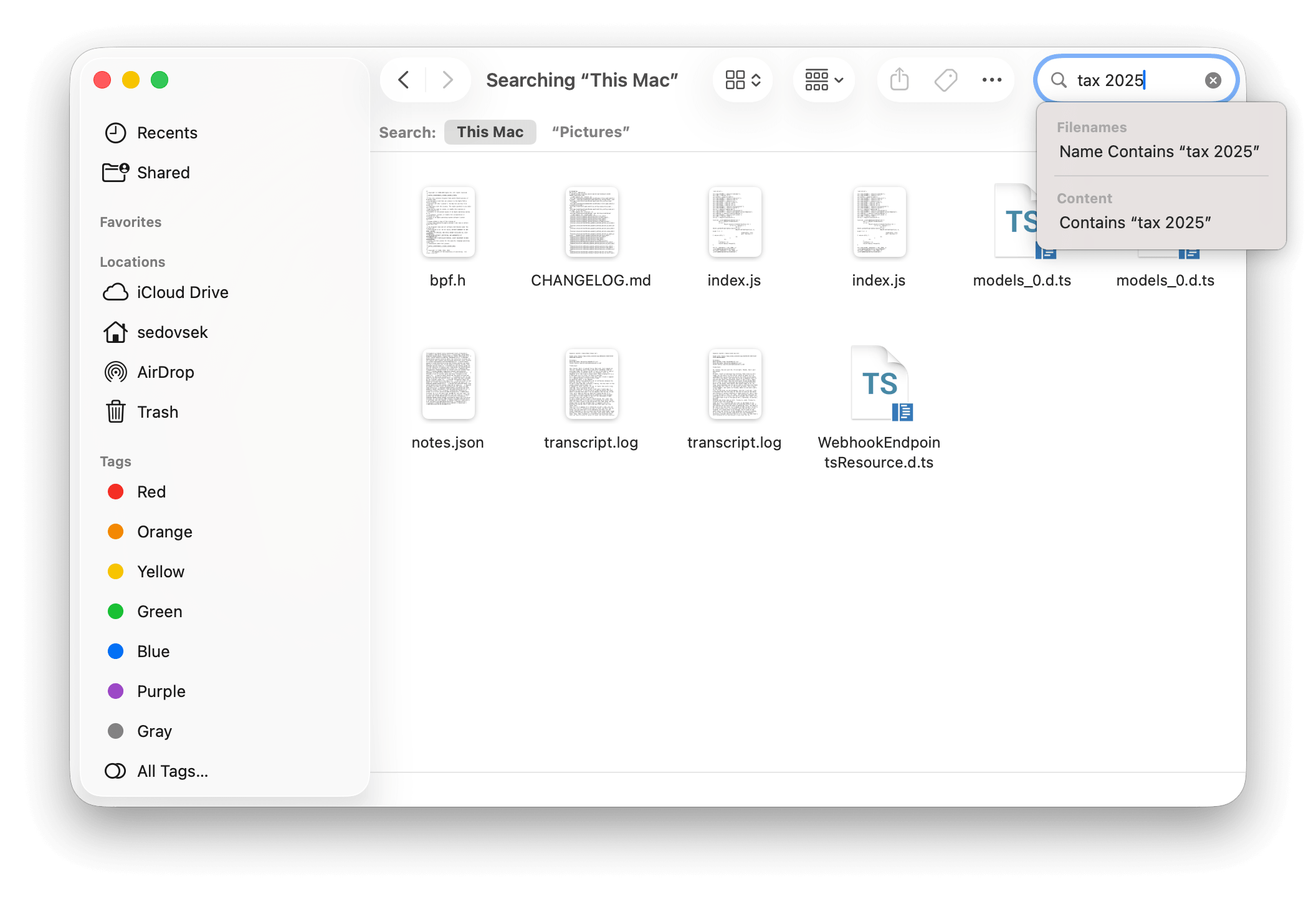
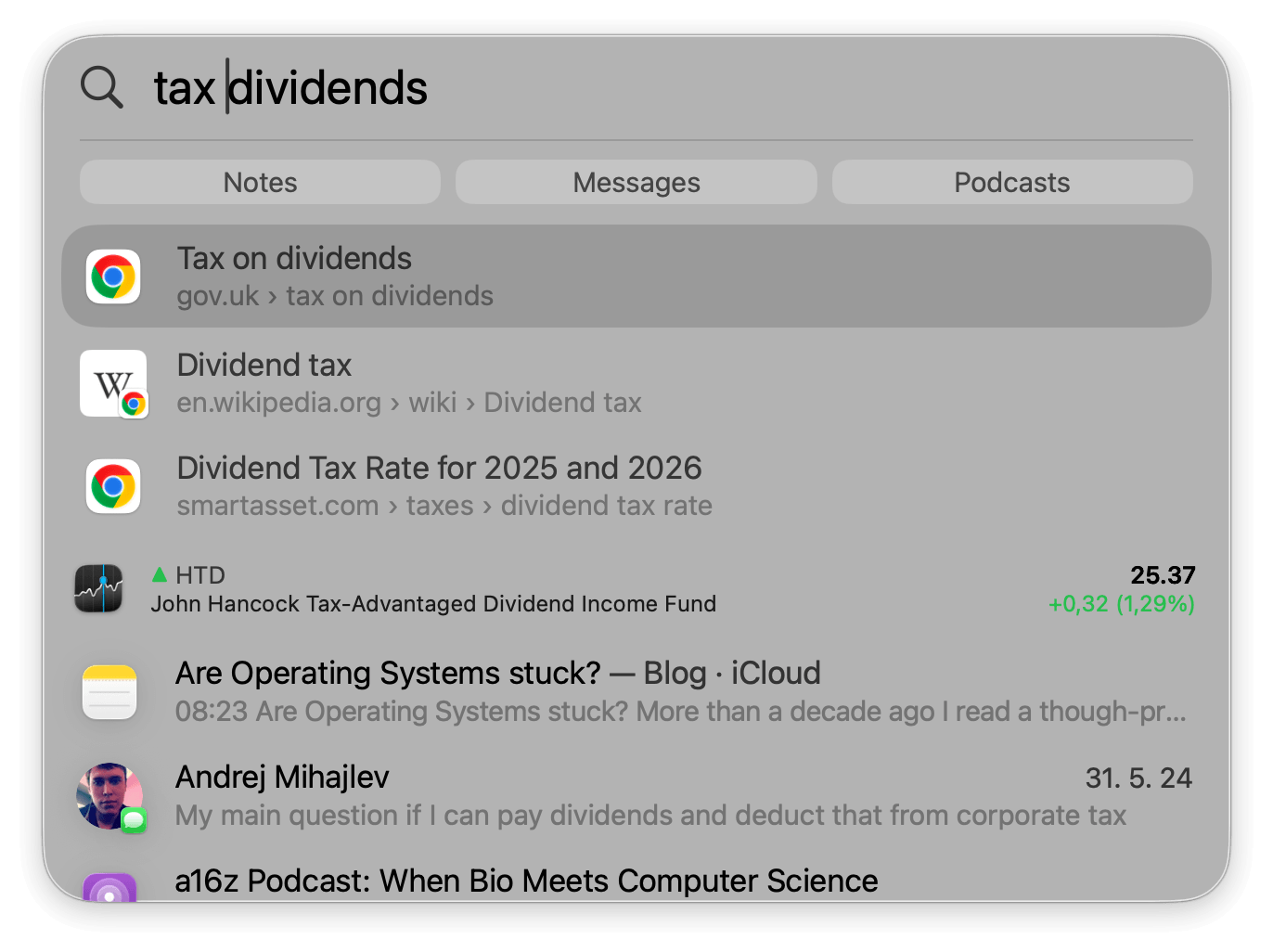
Problem A: finding tax report sheets…
- I can open Finder and use Search, or
- Use Spotlight to search for a report.
… but because I do that once a year, I can't recall what I named the folder or the files.
I can open a terminal and start typing commands like
"cd ~/Documents",
"cd personal",
"cd ../reports",
"cd ../finance",
or, if I'm feeling brave, try "find" with regex.
You get the idea.
Problem B: finding my photos of tractors
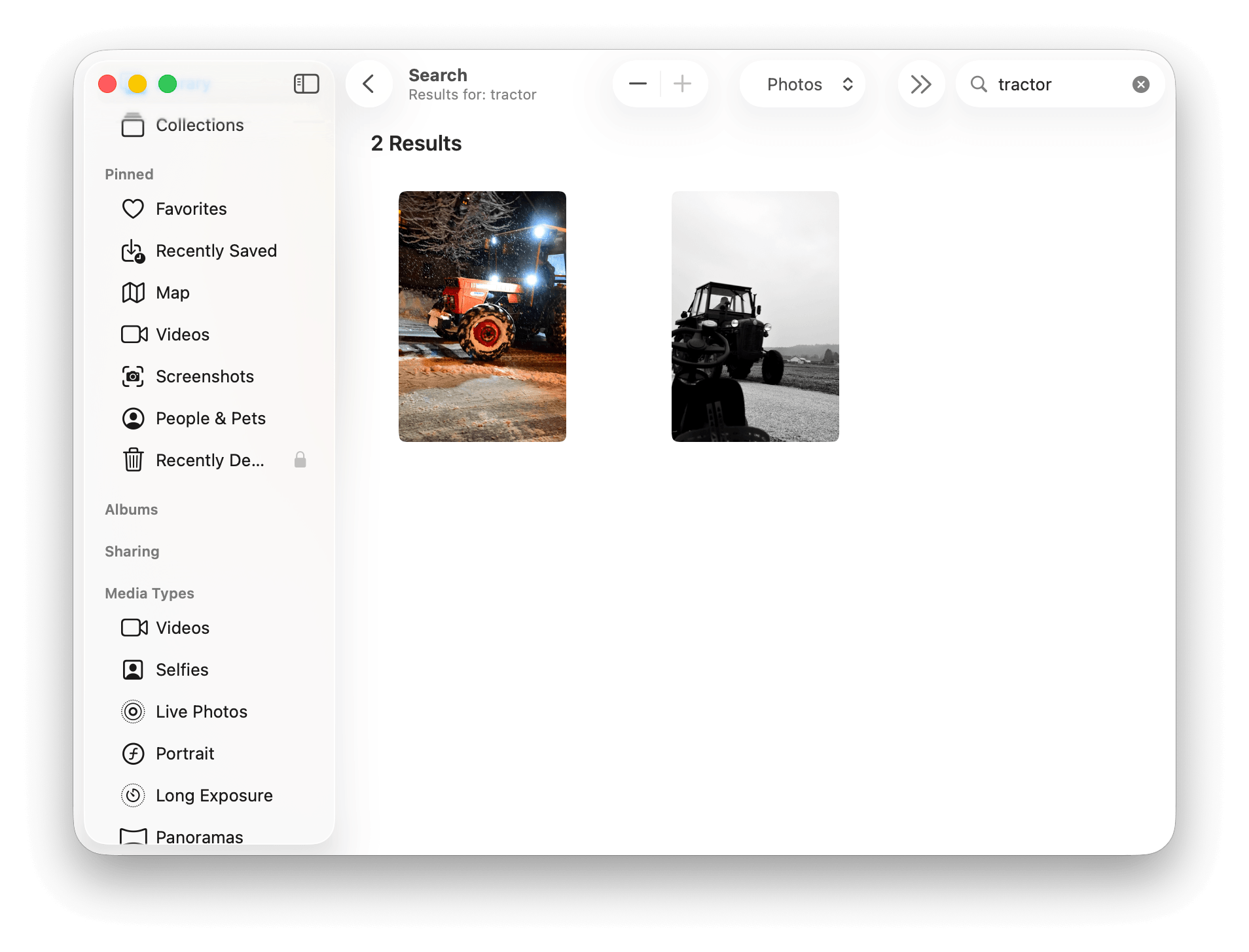
- I can open Finder and search for "tractor"
Since I don't rename photo files, I get no results. - I can open the Photos app, search for "tractor"; I got two results *
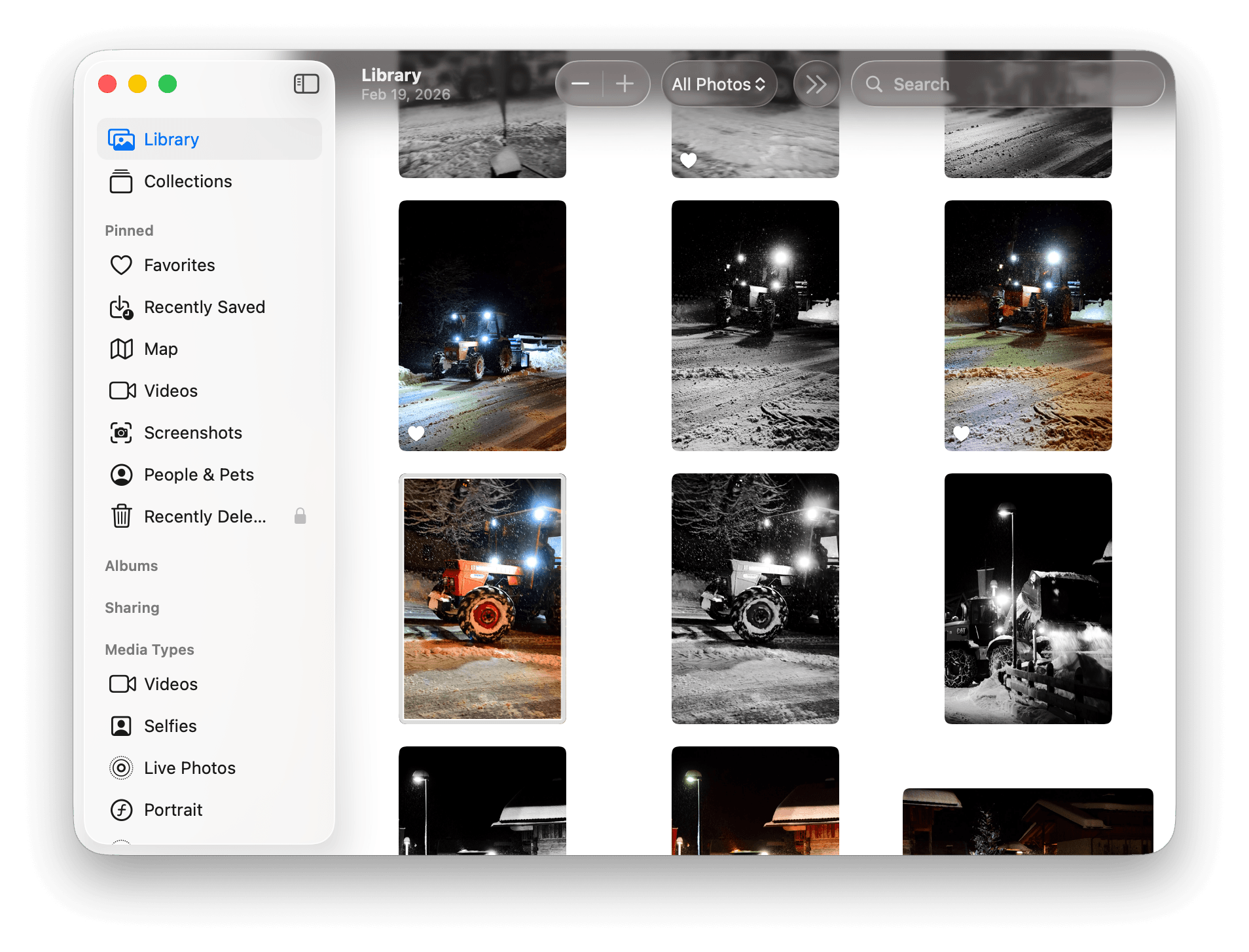
- Could I get similar photos to those two tractors? **
- Odd. I took plenty of photos of tractors over the years, so why is it only showing two? After investigation, it seems like I actually "named" one of them "Traktorska". For the other one I still have no idea.
- Having an option to find similar photos would help here, but it doesn't exist in Apple Photos.
Solution?
Raskin argued for the end of directories and file names as these tend to be cryptic and make files difficult to find afterwards.
"The content of a file is its own best name."
Every document should be identifiable by its contents, so there should be no need for directories or names for user-generated documents –
[Raskin 2000, pp. 117–123, sec. 5-3.]
Recently, I stumbled upon some interesting releases from another Jeff. Jeff with two Fs. Bezos.
Well, not him directly, but smart people from Amazon.
Specifically, Amazon Nova and S3 Vectors.
Edit: In March 2026, Google announced Gemini Embedding 2 as well.
So, what do Amazon and Google products have to do with this blog post? Not much, except that… they got me thinking about a plausible implementation of Jef's idea (now back to the OG Jef here, Raskin).
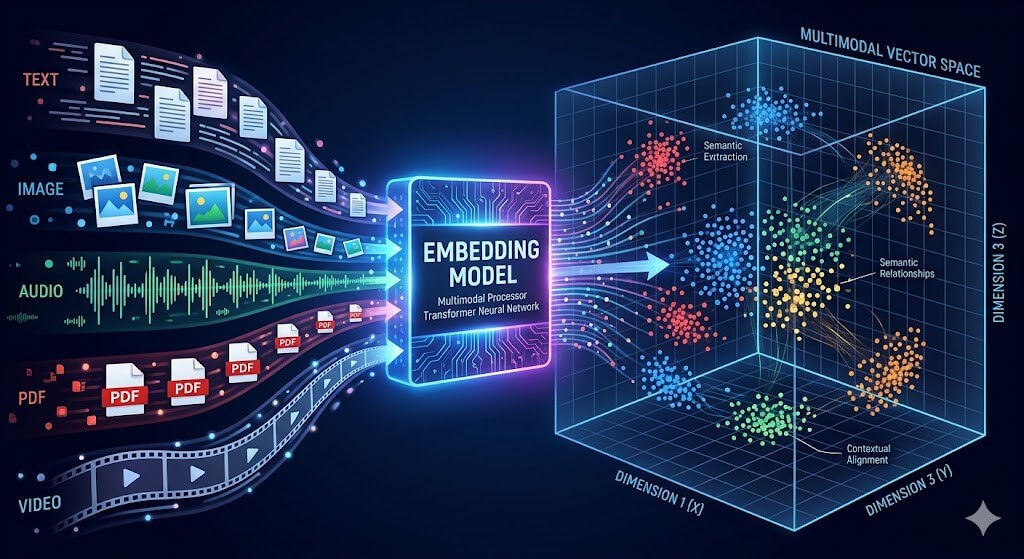
Multimodal embedding
So what exactly do Amazon Nova and Gemini Embedding 2 do?
A multimodal embedding is a way of representing text, images, audio, video, etc. as mathematical vectors so that a computer can understand their meaning.
In less corpo/scientific jargon, this enables all sorts of applications:
- Search: you can search using any input – e.g. text or an image – uploading an image of a tractor could retrieve similar images but also a tractor manual, or a tractor purchase contract.
- Content recommendation: a system can recommend music based on the images or movies you like because they share a similar "vibe" (in science jargon: latent features).
- Multimodal RAG: instead of hallucinating, the AI system uses those vectors to "see" and "read" all your files and provide a "grounded" and accurate response.
So how would a JefOS compete with our current macOS?
| Feature | Traditional OS | Raskin-Inspired OS |
|---|---|---|
| Organization | Folders & paths | Shared vector space |
| Finding | Browsing / Spotlight (keyword) | Semantic retrieval |
| Saving | Manual "Save as..." | Automatic background indexing |
| Naming | User-defined strings | The content is the address |
| Structure | Tree / Hierarchy | Topological / distance-based |
Would this really work?
Well, yes and no. If I only focus on the retrieval part, I can see a couple of issues:
- PDFs are not supported (edit: they are with Gemini 2, but only up to 6 pages),
- Videos are limited to 30 seconds,
- Online vs. offline; at the time of this writing, the open-source ecosystem for multilingual multimodal models remains immature and limited,
- Costs see above,
- Privacy see above the above,
- Storage if we index everything, embeddings will use ~10% additional storage,
- No easy access to photos in Apple Photos (unsure about Google/Amazon photos),
- Sync across devices.
In reality, none of them are a hard blocker, but when you understand constraints, you also understand better why Apple doesn't do that natively.
Nevertheless, this did not prevent me from trying to build a better search for my files and folders. :drumroll:
:drumroll continues: Ladies and gentlemen, may I present to you:
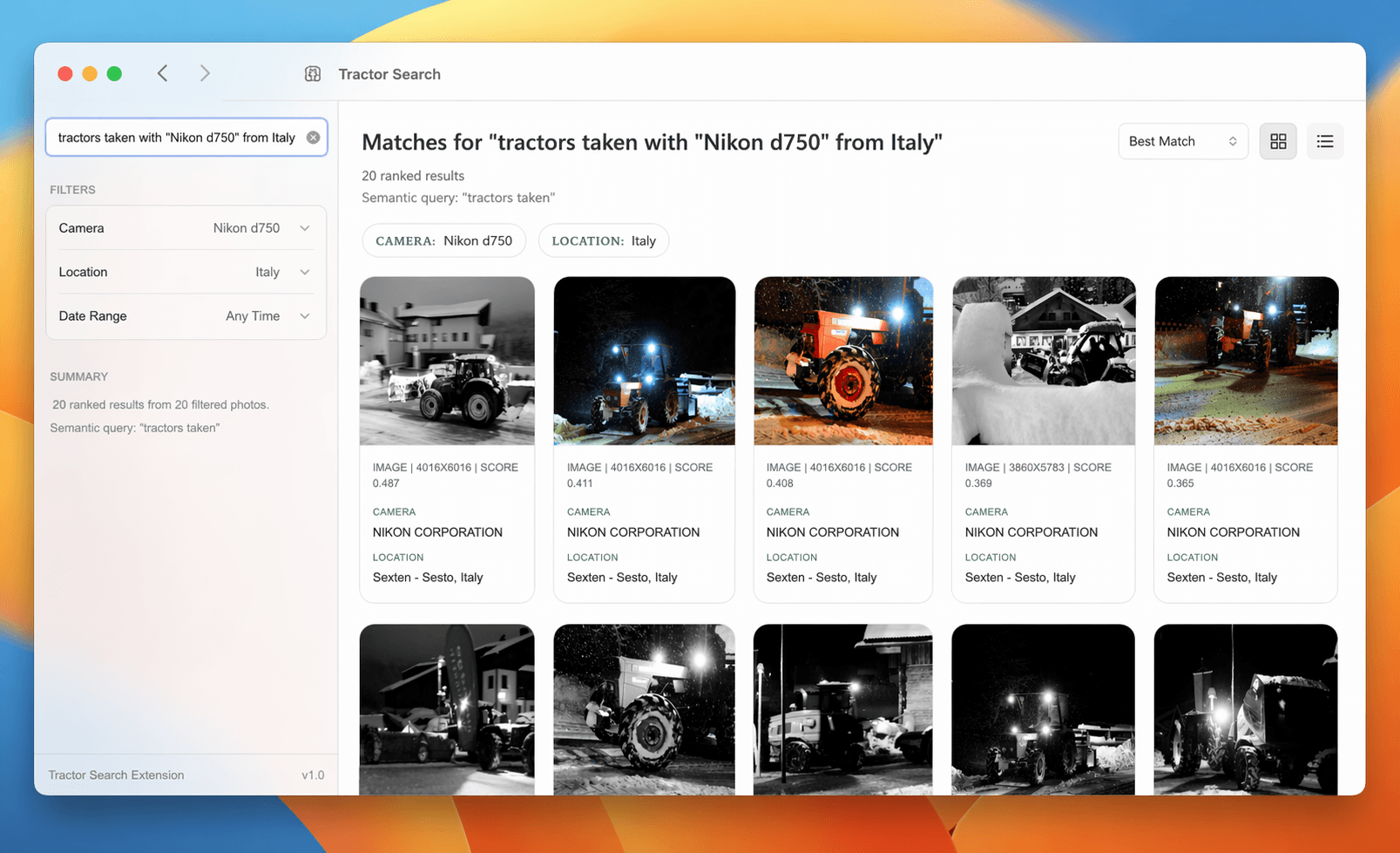
Edit: some of you correctly pointed out that this can't be just a semantic search, and you're 100% right. It's a combination of factual data, e.g. camera metadata, stored in a relational database and combined with vector search.
So, who's gonna build it?
As I mentioned above, even agents are getting their own terminals, and I've no doubt that there are humans out there building GitHubs for Agents, but… who's building better software for ordinary folks? Maybe a fundamentally different OS, not just a minor iteration?
PS: If my semantic search across multiple files (see the tractors pic above) scratches an itch for you too, give me a nudge.
 Currently